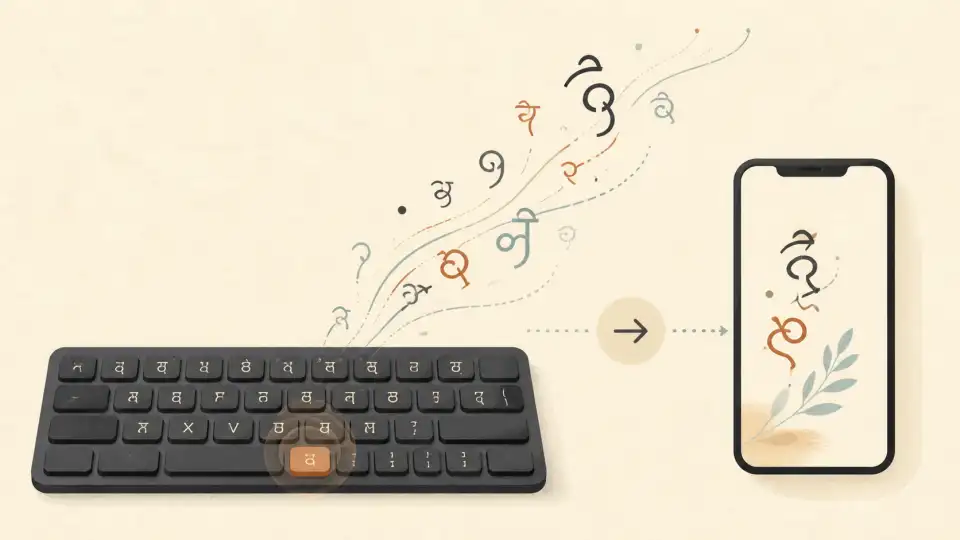
Bengali — or Bangla (বাংলা) — is spoken by over 300 million people, making it the sixth most spoken language in the world. It is the national language of Bangladesh and one of the official languages of India, widely used across West Bengal, Tripura, and the Barak Valley of Assam.
Despite this massive speaker base, many Bengalis struggle with typing in Bengali script on their computers and phones. Whether you need to write a WhatsApp message in Bangla, compose a formal email, or post on social media, typing in Bengali doesn't have to be hard. In this guide, we'll walk you through every method to type Bengali online — from transliteration to voice typing.
Why Is Bengali Typing So Difficult?
The Bengali script (বাংলা লিপি) is an abugida writing system. Unlike the Latin alphabet, Bengali characters have inherent vowels, conjunct consonants (যুক্তবর্ণ), and vowel marks (কার) that change the shape of letters. This means:
- No standard keyboard layout — There's no single Bengali keyboard that everyone uses
- Complex character combinations — Characters like ক্ষ, শ্র, and ঞ্চ require multiple keystrokes
- Vowel signs (কার) — Letters change shape depending on the vowel attached
- Unicode challenges — Older systems may not render Bengali characters correctly
The good news? Modern transliteration tools solve all of these problems by letting you type in English and get Bengali script automatically.
Method 1: Transliteration (Easiest Method)
Transliteration is by far the most popular way to type Bengali online. You type English letters that sound like Bengali words, and the tool converts them in real time.
How It Works:
Type: ami tomake bhalobashi
→ আমি তোমাকে ভালোবাসি
(I love you in Bengali)
Popular transliteration platforms include Google Input Tools, Avro Keyboard, and various online converters. The advantage of transliteration is that you don't need to learn any new keyboard layout — just type the way you would say the word.
Method 2: Inscript Keyboard (Government Standard)
The Inscript keyboard layoutis the Indian government's standardized keyboard layout for all Indic scripts, including Bengali. It's built into Windows, macOS, Linux, iOS, and Android.
How to enable it:
- Windows: Settings → Time & Language → Language → Add Bengali → Enable Inscript keyboard
- Mac: System Preferences → Keyboard → Input Sources → Add Bengali (Inscript)
- Android: Gboard settings → Languages → Add Bengali
- iOS: Settings → General → Keyboard → Keyboards → Add Bengali
The Inscript layout is efficient once you learn it, but the learning curve is steep for beginners. The keys are arranged logically based on the structure of the script, but it takes weeks of practice to type fluently.
Method 3: Phonetic Keyboard Layout
A phonetic keyboardmaps Bengali characters to the English keys that make similar sounds. For example, pressing "B" might type ব, and pressing "K" might type ক. This is different from transliteration because it's a fixed keyboard mapping, not real-time conversion.
Avro Keyboard is the most popular phonetic Bengali keyboard. It supports both phonetic and fixed (Bijoy) layouts and has been the go-to tool for Bengali typists for over a decade.
Method 4: Voice Typing (Speak to Type)
If you find typing in any script difficult, voice typing lets you speak in Bengali and the tool converts your speech to text. This is especially useful for:
- People who are faster at speaking than typing
- Composing long messages or documents
- Users with accessibility needs
- Mobile typing where the keyboard is small
Google Voice Typing supports Bengali on Android and via Google Docs. On desktop, you can use browser-based voice typing tools that support Bangla speech recognition.
Bengali Typing on Different Devices
On Windows
Windows 10 and 11 have built-in Bengali support. Add the Bengali language pack, then switch between English and Bengali using the language bar in the taskbar. You can choose between Inscript and phonetic layouts.
On Mac
macOS offers Bengali input through the built-in Keyboard preferences. Add the Bengali input source and switch using the flag icon in the menu bar. macOS supports both ABC (phonetic) and Inscript layouts.
On Mobile (Android & iOS)
The easiest way to type Bengali on mobile is to add the Bengali language to Gboard(Android) or the native keyboard (iOS). Both support transliteration where you type English letters and get Bengali text. Gboard's transliteration is particularly good — just type "ami" and it will suggest আমি.
Bengali Typing Speed & Government Exams
If you're preparing for West Bengal government typing examsor BCS (Bangladesh Civil Service) typing tests, you'll need to achieve a minimum typing speed. Most Bengali typing exams require:
- Minimum speed: 20–30 words per minute (WPM) in Bengali
- Accepted layouts: Usually Bijoy Classic or Avro phonetic
- Practice: Daily practice of 30 minutes for 2–3 months is typical
Online typing test tools let you practice with real Bengali passages and track your WPM (words per minute) and accuracy over time.
Common Bengali Typing Mistakes
Even experienced Bengali typists make these common errors:
- Wrong কার (vowel sign): Confusing া (aa) with ে (e) — e.g., বানা vs বেনা
- Missing হসন্ত (virama): Forgetting to add ্ between conjunct consonants
- Wrong যুক্তবর্ণ: Writing ক্ষ as ক+ষ instead of the proper conjunct
- Unicode vs legacy encoding: Mixing Unicode and Bijoy ANSI characters in the same document
- Wrong রফলা: The রফলা (্র) character is frequently misplaced in conjuncts
Using a grammar checker or proofreading tool can catch these errors automatically. Tools that analyze Bengali text for spelling and grammar can save you hours of manual proofreading.
Bengali Spelling: A Quick Overview
Bengali spelling can be tricky because many words sound similar but are spelled differently. For example:
- কর্ম (karmo — work/duty) vs কর্মা (a character from Mahabharata)
- ফল (pholo — fruit/result) vs ফাল (faal — fold/crease)
- বিদ্যালয় (bidyaloy — school) vs বিদ্যালয় (correct spelling with য়)
Online spelling checkers designed for Bengali can automatically detect these issues and suggest corrections, making them invaluable for students, professionals, and content writers.
Tools to Make Bengali Typing Easier
Here are the tools that make Bengali typing effortless:
- Bengali Typing Tool: Type in English, get Bengali script instantly via transliteration
- Bengali Grammar Checker: Catch grammatical errors in your Bengali text automatically
- Bengali Spelling Checker: Find and fix spelling mistakes with one click
- Word Counter: Count Bengali words and characters for essays, assignments, and social media posts
- Bengali Voice Typing: Speak in Bengali and get instant text transcription
All of these tools work directly in your browser — no downloads, no signups, and completely free.
Bengali on Social Media
Typing Bengali on social media is one of the most common use cases. Whether you're posting on Facebook (which has a huge Bengali-speaking user base), writing WhatsApp messages, or creating Instagram captions, here are some tips:
- Use transliteration for speed: Type "ajke amar din khub bhalo chhilo" → আজকে আমার দিন খুব ভালো ছিলো
- Save frequently used phrases: Keep a notes file with common Bengali phrases
- Switch keyboards smartly: Keep Bengali as a secondary keyboard on your phone for quick switching
- Use Manglish (Benglish): Many Bengalis type in Roman script on social media — it's informal but widely understood
Bengali for Professional Use
For professional Bengali writing — legal documents, business emails, academic papers — accuracy is critical. Here are some guidelines:
- Use formal Bengali: Avoid colloquial spellings in professional documents
- Proofread twice: Bengali grammar has complex rules around postpositions and verb conjugations
- Use Unicode: Always use Unicode Bengali (not legacy Bijoy ANSI) for web and digital documents
- Check with a grammar tool: Professional Bengali grammar checkers catch errors that spell checkers miss
The Future of Bengali Typing
Bengali typing is getting easier every year. AI-powered transliteration engines are becoming more accurate at understanding context — for example, distinguishing between different words that have the same Roman spelling. Voice typing is also improving rapidly, with Bengali speech recognition becoming more natural and accurate.
As more tools add Bengali support, the barrier to writing in your mother tongue continues to shrink. The days of struggling with complex keyboard layouts are numbered — transliteration and voice typing are the present and future of Bengali input.
Frequently Asked Questions
What is the best way to type Bengali online?
The easiest way is transliteration— type English letters that sound like Bengali words, and the tool converts them automatically. For example, typing "ami bhalobashi" produces আমি ভালোবাসি. No keyboard layout knowledge is needed.
How do I type Bengali on WhatsApp?
On Android, add Bengali to Gboard and switch to it in WhatsApp. On iOS, add Bengali to your keyboard settings and switch using the globe icon. Both support transliteration for easy Bengali typing.
Is there a Bengali grammar checker?
Yes! Online Bengali grammar checkers can detect grammatical errors, suggest corrections, and improve the quality of your Bengali writing. They work on formal letters, essays, social media posts, and more.
What is the difference between Bijoy and Unicode Bengali?
Bijoy is a legacy encoding system that was widely used for Bengali typing in Bangladesh. Unicode is the international standard that works across all modern platforms. Always use Unicode for web and digital documents — Bijoy is only needed for legacy systems.
Can I type Bengali using voice?
Yes! Bengali voice typing is available through Google Voice Typing (on Android and Google Docs), as well as browser-based voice typing tools. You speak in Bengali and the tool transcribes your speech into Bengali text in real time.
How fast should I type Bengali for government exams?
Bengali typing speed requirements for government exams typically range from 20 to 30 words per minute with high accuracy. Daily practice with an online typing test tool for 30 minutes can help you reach this speed in 2–3 months.