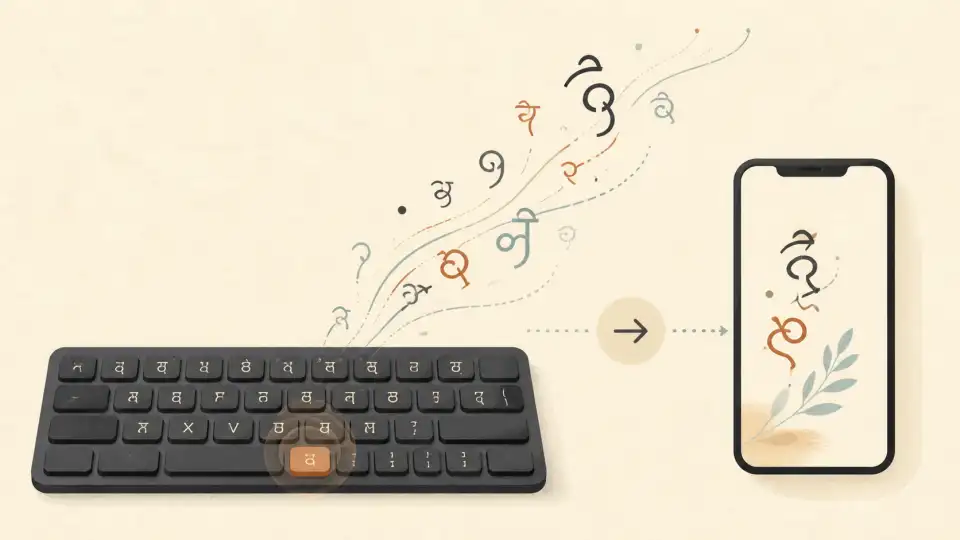
Typing in Hindi has never been easier. With the rise of online Hindi typing tools, you no longer need to install special software or memorize complex keyboard layouts. Whether you're a student, professional, content creator, or someone who wants to communicate in Hindi online, the right tool can make all the difference. In this comprehensive guide, we'll explore the best Hindi typing tools available in 2026 — all free and accessible online.
Why You Need a Hindi Typing Tool
India has over 600 million Hindi speakers, making it one of the most widely spoken languages in the world. Yet, most computer keyboards are designed for English. This creates a barrier for millions of people who want to type in Hindi for:
- Social media posts and messages in Hindi
- Government job applications and official documents
- Academic papers and educational content
- Business communications with Hindi-speaking clients
- Personal correspondence and creative writing
- Blog posts and website content in Hindi
What to Look for in a Hindi Typing Tool
Before diving into our top picks, here are the key features to consider:
- Transliteration support: Type in English, get Hindi output (most user-friendly)
- Accuracy: How well does it convert English input to Hindi script?
- Speed: Does it offer real-time conversion?
- Word suggestions: Does it suggest Hindi words as you type?
- No installation required: Works directly in your browser
- Mobile compatibility: Works on smartphones and tablets
- Copy and share: Easy to copy output to clipboard
Top Hindi Typing Tools in 2026
1. Sariya Hindi Typing Tool — Best Overall
Our Sariya Hindi Typing Tool stands out as the best overall option for Hindi typing online. It offers:
- Real-time transliteration: Type in English and see Hindi text instantly
- High accuracy: Advanced AI-powered conversion with context awareness
- No sign-up required: Start typing immediately, completely free
- Clean interface: Distraction-free writing environment
- Voice typing: Speak in Hindi and get text output
- Works on all devices: Desktop, tablet, and mobile friendly
The Sariya tool is perfect for beginners and advanced users alike. Whether you're writing a WhatsApp message or a professional document, it handles it all with ease.
2. Google Input Tools
Google Input Tools is a popular choice for Hindi typing. It supports transliteration from English to Hindi and works as a Chrome extension or web tool. It's reliable and backed by Google's technology, though it may sometimes lack contextual accuracy.
3. Hindi Typing
Hindi Typing is a simple web-based tool that offers basic transliteration. It's straightforward to use and doesn't require any registration. However, it lacks advanced features like voice typing and word suggestions.
4. Quillpad
Quillpad offers transliteration for multiple Indian languages including Hindi. It uses a unique algorithm for conversion and supports word predictions. It's a solid choice but can feel dated compared to newer tools.
5. Microsoft Indic Language Input Tool
Microsoft's tool supports multiple Indian languages and integrates well with Windows. However, it requires installation, which makes it less convenient than web-based alternatives like Sariya.
Detailed Comparison
Accuracy Comparison
When it comes to accuracy, modern AI-powered tools like Sariya lead the pack. Traditional transliteration tools often struggle with:
- Words with multiple spellings in Hindi
- Context-dependent word selection
- Compound consonants and conjunct characters
- Proper nouns and place names
Sariya addresses these challenges with context-aware suggestions and a continuously improving language model.
Speed Comparison
All top Hindi typing tools offer real-time conversion in 2026. The difference lies in how quickly you can type without errors. Tools with better word prediction and autocorrect features, like Sariya, help you type faster with fewer corrections.
Feature Comparison
Here's how the top tools compare on key features:
- Transliteration: All tools support this
- Voice typing: Sariya and Google support this
- Word suggestions: Sariya, Quillpad, and Google
- No installation: Sariya, Hindi Typing, Quillpad
- Mobile optimized: Sariya and Google
- Multiple output formats: Sariya supports Unicode and other formats
How to Type Hindi Online Using Sariya
Getting started with the Sariya Hindi Typing Tool is incredibly simple:
- Step 1: Visit the Sariya Hindi typing page
- Step 2: Start typing in English — the tool converts to Hindi automatically
- Step 3: Use the word suggestions for faster typing
- Step 4: Copy the Hindi text and use it anywhere
No registration, no installation, no downloads. Just open and start typing.
Hindi Typing for Specific Use Cases
For Government Job Applications
Many Indian government positions require Hindi typing proficiency. Tools like Sariya help you practice and improve your speed. The Hindi typing tool is particularly useful for preparing for typing tests.
For Social Media
Want to post in Hindi on Twitter, Facebook, or Instagram? Simply type your message in the Sariya tool, copy the Hindi text, and paste it into your social media platform. It's that easy.
For Students and Educators
Hindi typing tools are invaluable for students studying Hindi literature or educators creating Hindi content. The ability to type quickly in Hindi streamlines the content creation process.
Tips for Faster Hindi Typing
Regardless of which tool you choose, these tips will help you type Hindi faster:
- Learn phonetic patterns: Understand how English sounds map to Hindi characters
- Use word suggestions: Don't type every letter — let the tool help
- Practice regularly: Consistent practice improves speed dramatically
- Learn common Hindi words: Familiarity with frequent words speeds up typing
- Use keyboard shortcuts: Learn shortcuts for common actions like copy and paste
Ready to start typing in Hindi? Try our free Hindi typing tool now. You might also enjoy our guides on Hindi love expressions andHindi to English translation.
Frequently Asked Questions
What is the best free Hindi typing tool in 2026?
The Sariya Hindi Typing Tool is one of the best free Hindi typing tools in 2026. It offers real-time transliteration, voice typing, high accuracy, and works on all devices without requiring any installation or sign-up.
How do I type Hindi on a regular English keyboard?
You can type Hindi on an English keyboard using transliteration tools likeSariya. Simply type Hindi words using English letters (e.g., "namaste" for नमस्ते), and the tool converts them to Hindi script automatically.
Is Hindi typing online free?
Yes! Tools like Sariya Hindi Typing are completely free to use. There are no hidden charges, no premium features locked behind paywalls, and no registration required.
Can I type Hindi on my mobile phone?
Absolutely. The Sariya Hindi Typing Tool is fully mobile-optimized and works seamlessly on smartphones and tablets. Just open it in your mobile browser and start typing.
What is transliteration in Hindi typing?
Transliteration means typing Hindi words using English letters. For example, you type "namaste" and the tool converts it to "नमस्ते." This is the easiest way to type Hindi without learning a new keyboard layout.
How accurate are online Hindi typing tools?
Modern Hindi typing tools like Sariya are highly accurate, thanks to AI-powered language models. They handle context-dependent words, compound characters, and proper nouns with over 95% accuracy in most cases.