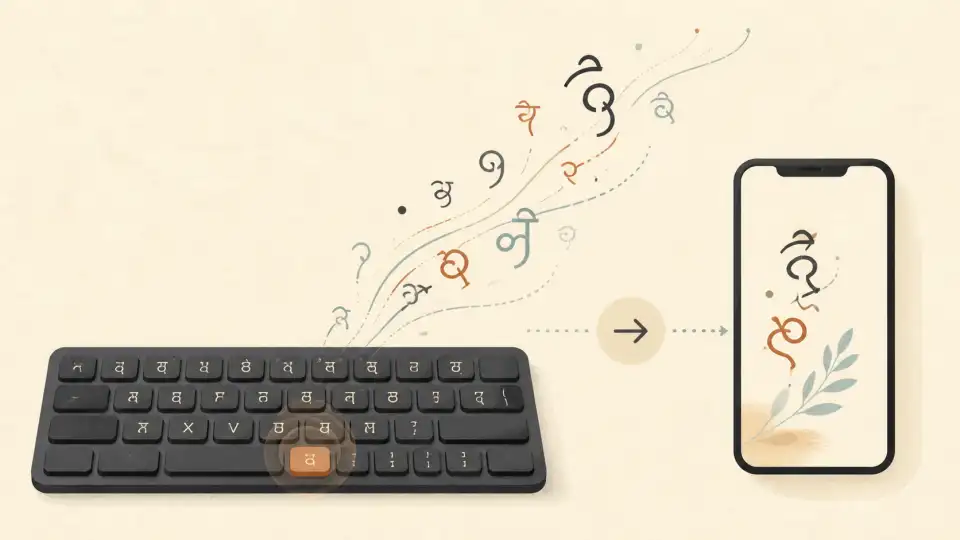
Malayalam, the beautiful language of Kerala, has one of the most complex scripts in the world with over 500 characters. For many, the traditional Malayalam typewriter layout is a barrier to digital communication. But in 2026, malayalam typing online has evolved. You no longer need to memorize complex key mappings.
Whether you are a student, a professional working for the Kerala government, or someone trying to chat with family on WhatsApp, typing in Malayalam should be as easy as thinking in Malayalam. This pillar guide will walk you through every method of easy Malayalam typing available today.
Introduction: Why You Don't Need a Malayalam Keyboard
In the early days of computing, typing in Malayalam required installing specialized fonts and software like Varamozhi or ISM. Today, the most popular method is easy malayalam typing via transliteration. This system allows you to type "Amma" on your English keyboard and see "അമ്മ" appear instantly on your screen.
This "phonetic" approach bridge the gap between our English-centric technology and our native linguistic heritage, making the digital world inclusive for everyone.
Modern Methods of Malayalam Typing Online
There are four main ways to type in Malayalam today. Let's compare them:
- Transliteration (Manglish to Malayalam): The gold standard. You type how the word sounds using English letters.
- Phonetic Layouts: Using a specialized keyboard map where letters based on sounds (e.g., 'a' for 'അ', 'k' for 'ക').
- Inscript (Traditional): The official government standard. Efficient for touch-typists but hard to learn.
- Voice Typing: Simply speaking in Malayalam and letting AI convert it to text.
എളുപ്പത്തിൽ മലയാളം ടൈപ്പ് ചെയ്യാം
Sariya's Malayalam typing tool is used by thousands. It is fast, accurate, and completely free.
Step-by-Step: How to Type in Malayalam Using Sariya
Sariya's malayalam typing online free tool is designed for absolute beginners. Follow these steps:
- 1
Go to the Sariya Malayalam Toolroom and select the typing tool.
- 2
Start typing in English script. For example, type "Enthundu vishesham".
- 3
The tool converts "Enthundu" to "എന്തുണ്ട്" automatically after you hit space.
- 4
Copy the Malayalam text and paste it into WhatsApp, Facebook, or your document.
Malayalam Typing for Social Media, Email, and Documents
Writing for different platforms requires different strategies. English to malayalam typing online is perfect for social media posts where speed is essential. However, for professional documents, you might want to use the typed text and then run it through a grammar checker to ensure accuracy.
Most modern browsers and operating systems support Malayalam Unicode perfectly. This means once you type the text in Sariya, it will look the same on an iPhone, an Android tablet, or a Windows PC.
Comparison of Malayalam Typing Tools
| Tool Name | Primary Method | Pros | Cons |
|---|---|---|---|
| Sariya | AI Transliteration | Context aware, very fast | Requires internet |
| Gboard | Transliteration | Built-in mobile | Privacy concerns |
| Inscript | Direct Map | Pro speed (once learned) | High learning curve |
Mobile vs Desktop Malayalam Typing
On mobile, most Malayalis use Gboard's "English to Malayalam" setting. On desktop, using a web tool like Sariya is often faster than installing language packs in Windows or macOS settings.
One major advantage of Sariya is that it is cross-platform. You can start typing on your laptop and easily continue on your phone without changing any settings.
Tips for Faster Malayalam Typing
- Use Double Letters: Type 'll' for 'ള്ള' or 'tt' for 'റ്റ' in most transliteration tools.
- Watch the 'Chillaksharam': Learning the shortcuts for 'n' vs 'N' ensures you get 'ൻ' vs 'ൺ'.
- Keyboard Shortcuts: Use CTRL+C and CTRL+V to move your text quickly from the editor to your chat window.
Frequently Asked Questions (FAQ)
Does Sariya work on iPhone for Malayalam typing?
Yes! Sariya is fully responsive and optimized for Safari and Chrome on iOS. You can type in Malayalam easily on your iPhone or iPad.
Can I type Malayalam without installing any fonts?
Yes. Modern systems have Malayalam fonts built-in. Sariya's tool outputs direct Unicode text which works instantly in 99% of modern apps.
Is there an offline version of Sariya?
Currently, Sariya relies on a powerful cloud-based AI to ensure the highest accuracy. You will need an active internet connection to use the typing tool.
Conclusion
Typing in Malayalam is your gateway to expressing your culture digitally. Whether it's a social media update or a professional letter, the ability to communicate in your mother tongue is powerful. With tools like Sariya, malayalam typing online has never been more accessible.
Don't wait! Start your Malayalam writing journey today. Visit Sariya Malayalam Toolroom and express yourself clearly.