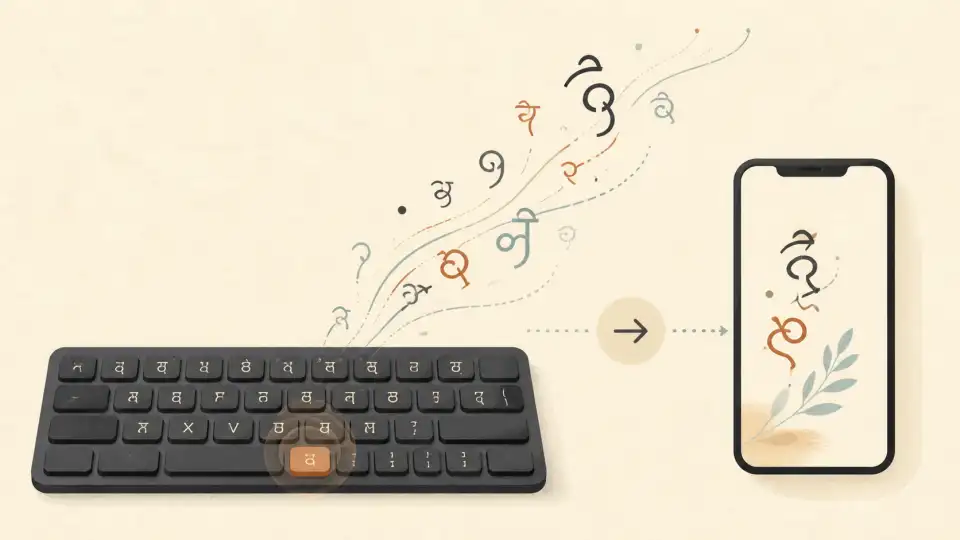
Hindi is the most widely spoken language in India, with over 600 million speakers worldwide. It's the official language of the Government of India and is written in the beautiful Devanagari script. Whether you're writing a college assignment, drafting a government letter, creating social media content, or simply chatting with friends and family, knowing how to type in Hindi online is an invaluable skill.
The best part? You don't need to buy a Hindi keyboard or learn a complicated input method. Modern Hindi typing tools let you type Hindi using your regular English keyboard through phonetic transliteration. In this guide, we'll cover everything you need to get started with Hindi typing online.
Why Type in Hindi Instead of Romanized Hindi (Hinglish)?
Many people write Hindi in roman letters — a practice commonly known as "Hinglish." While it's convenient, there are compelling reasons to type in proper Devanagari script:
- Readability: Hindi in Devanagari script is far easier for Hindi speakers to read quickly than romanized text.
- Professionalism: Official documents, government forms, and professional communications in Hindi require Devanagari script.
- SEO benefits: Content written in Devanagari ranks better for Hindi-language search queries on Google India.
- Cultural pride: The Devanagari script is one of the oldest and most scientifically designed writing systems in the world. Using it preserves linguistic heritage.
- Legal requirements: Many Indian government offices and courts require documents in Hindi Devanagari script.
How Hindi Online Typing Works
Online Hindi typing tools primarily use phonetic transliteration— the same technology that powers Google Input Tools and popular mobile keyboards. Here's the basic concept:
- You type the sound of a Hindi word using English (Latin) letters.
- The tool converts your input into Devanagari script in real time.
- Word suggestions appear as you type, letting you select the correct word quickly.
For instance, typing "namaste" converts to नमस्ते. Typing "mera naam rahul hai" becomes मेरा नाम राहुल है. The system uses contextual analysis and a large Hindi vocabulary database to ensure accurate conversion.
Best Free Hindi Typing Tools Online
Several excellent tools are available for Hindi typing. Here are the top options:
1. Sariya Hindi Typing Tool
Sariya (sariya.app) provides a fast, free, and accurate Hindi typing tool right in your browser. No downloads, no sign-ups — just open the page and start typing. Sariya uses advanced phonetic transliteration with intelligent word suggestions, making it one of the most accurate Hindi typing tools available. It works perfectly on both desktop and mobile browsers.
2. Google Input Tools
Google Input Tools supports Hindi transliteration and is deeply integrated into Google products like Gmail, Google Docs, and Google Search. It's a solid choice for typing within the Google ecosystem, though it requires browser extensions or app installation for use outside Google products.
3. Microsoft Indic Language Input
Windows comes with built-in support for Hindi typing through the Microsoft Indic Language Input Tool. You can enable it in Settings > Time & Language > Language. It supports both phonetic (transliteration) and InScript layouts.
4. Quillpad
Quillpad was one of the pioneers of Indian language typing on the web. It offers Hindi transliteration with word suggestions and supports several other Indian languages. It's a lightweight, no-frills option.
Hindi Keyboard Layouts Explained
If you want to type Hindi directly (without transliteration from English), there are two main keyboard layouts:
- InScript Layout: Developed by the Indian government, this is the standard keyboard layout for Devanagari. It logically groups vowels (स्वर) and consonants (व्यंजन). Once learned, it's very efficient. Available natively in Windows, macOS, and Linux.
- Phonetic Layout: Maps Hindi sounds to English keys based on phonetic similarity. For example, pressing "ka" produces क, "kha" produces ख, "ga" produces ग, and so on. This is the easiest layout for beginners.
- Typewriter Layout: Based on traditional Hindi typewriter key positions. Some experienced typists prefer this legacy layout.
Step-by-Step Guide: How to Type in Hindi Online
Getting started with Hindi typing is straightforward:
- Visit a Hindi typing tool — Go to sariya.app and select the Hindi typing tool.
- Type in English phonetically — Start typing Hindi words using their English phonetic equivalents. The tool will convert them to Devanagari script instantly.
- Select word suggestions — If the tool suggests multiple Hindi words, click on the correct one or use keyboard shortcuts to select.
- Copy and paste — Once your text is ready, copy it and paste it into your document, email, WhatsApp, or any other application.
Hindi Typing Practice: How to Get Faster
Like any skill, Hindi typing speed improves with consistent practice. Here are proven tips to build your speed:
- Start with the Hindi alphabet: Familiarize yourself with the Devanagari alphabet — vowels (अ, आ, इ, ई, उ, ऊ, ऋ, ए, ऐ, ओ, औ) and consonants (क, ख, ग, घ, ङ, च, छ, ज, झ, ञ, etc.). Understanding the script helps you type more intuitively.
- Practice common words: Begin with frequently used Hindi words like greetings, numbers, days of the week, and common phrases.
- Use a Hindi typing test: Regularly test your typing speed with a typing test tool. Aim for gradual improvement rather than instant speed.
- Focus on accuracy first: Speed comes naturally when accuracy is consistent. Don't rush — type correctly first, then increase speed.
- Type from Hindi content: Pick a Hindi news article, poem, or story and try typing it out. This combines reading comprehension with typing practice.
- Daily practice routine: Even 10–15 minutes of daily Hindi typing practice can improve your speed by 5–10 WPM within a month.
Hindi Typing on Mobile Phones
Typing Hindi on your smartphone is easy with the right keyboard app:
- Gboard (Google Keyboard): The most popular option. Add Hindi as a language, enable transliteration, and start typing phonetically in English to get Hindi suggestions.
- Microsoft SwiftKey: Offers excellent Hindi word prediction and supports both transliteration and the InScript layout.
- Sariya Mobile: Visit sariya.app on your mobile browser for a fully optimized mobile Hindi typing experience without installing any app.
Hindi Devanagari Script: Quick Reference
Here's a quick reference of common Hindi letters and their phonetic equivalents:
- Vowels: अ (a), आ (aa), इ (i), ई (ee), उ (u), ऊ (oo), ए (e), ऐ (ai), ओ (o), औ (au)
- Consonants: क (ka), ख (kha), ग (ga), घ (gha), च (cha), छ (chha), ज (ja), झ (jha), ट (ta), ठ (tha), ड (da), ढ (dha), त (ta), थ (tha), द (da), ध (dha), न (na), प (pa), फ (pha), ब (ba), भ (bha), म (ma), य (ya), र (ra), ल (la), व (va), श (sha), ष (sha), स (sa), ह (ha)
- Matras (vowel marks): ा (aa), ि (i), ी (ee), ु (u), ू (oo), े (e), ै (ai), ो (o), ौ (au)
Common Hindi Words for Typing Practice
Here are some commonly typed Hindi words and phrases:
- नमस्ते (namaste) — Hello
- धन्यवाद (dhanyavaad) — Thank you
- आप कैसे हैं? (aap kaise hain?) — How are you?
- मेरा नाम (mera naam) — My name is
- मुझे यह पसंद है (mujhe yeh pasand hai) — I like this
- कृपया मेरी मदद करें (kripya meri madad karein) — Please help me
- शुभ प्रभात (shubh prabhaat) — Good morning
Hindi Typing for Government Exams
Many Indian government exams — including SSC, Banking, Railway, and State PSC exams — require candidates to pass a Hindi typing test. Here's what you need to know:
- Typical speed requirement: 25–35 words per minute (WPM) for most exams. Some exams require 30 WPM with 95%+ accuracy.
- Layout: Most exams require the InScript layout. Check the specific exam requirements before practicing.
- Time limit: Usually 10–15 minutes. Practice typing continuously for this duration to build stamina.
- Accuracy matters: Errors reduce your effective speed. Focus on typing correctly from the start.
- Use Sariya for practice: Sariya's Hindi typing tool is perfect for building familiarity with Devanagari typing before switching to the InScript layout for exam prep.
Hindi Typing vs. English Typing: Which is Faster?
With phonetic transliteration, Hindi typing speed can approach English typing speed. The key advantage is that phonetic Hindi typing uses the same key positions as English, so your muscle memory transfers directly. Most people find they can reach 20–30 WPM in Hindi typing within a few weeks of practice, compared to the months it takes to learn InScript from scratch.
For experienced typists using InScript, Hindi typing speed can exceed 40–50 WPM — comparable to English typing speeds.
FAQ: Hindi Typing Online
Can I type in Hindi without a Hindi keyboard?
Absolutely. Online Hindi typing tools like Sariya use phonetic transliteration, so you can type Hindi using your standard English keyboard. Just type the sounds of Hindi words in English letters, and the tool converts them to Devanagari script automatically.
Is Hindi typing free online?
Yes. Tools like Sariya, Google Input Tools, and others offer completely free Hindi typing. No downloads, no sign-ups, no hidden fees.
How fast can I learn Hindi typing?
With 15–20 minutes of daily practice, most people achieve 20–30 WPM within 2–4 weeks using phonetic typing. For InScript layout, expect 1–2 months to reach comparable speed.
What is the difference between transliteration and InScript Hindi typing?
Transliteration converts English phonetic input to Devanagari (typing "namaste" to get नमस्ते). InScript is a fixed keyboard layout where each key maps to a specific Devanagari character — you learn the layout first. Transliteration is easier for beginners; InScript is faster for experienced typists.
Can I type Hindi on WhatsApp?
Yes. Enable Hindi as a language in your phone keyboard (Gboard or SwiftKey) and type phonetically. You can also type on Sariya's online tool and paste the Devanagari text into WhatsApp.
How do I type Hindi matras and conjuncts?
Phonetic typing tools handle matras (vowel marks) and conjunct consonants (संयुक्ताक्षर) automatically. When you type the sounds phonetically, the tool produces the correct Devanagari forms, including complex conjuncts like क्ष, त्र, ज्ञ, and श्र.
Conclusion
Hindi typing has become incredibly accessible thanks to modern phonetic tools. You no longer need specialized keyboards or months of training to write in Devanagari. With free online tools like Sariya's Hindi typing tool, you can start typing in Hindi within seconds — using nothing but your English keyboard.
Whether you're preparing for government exams, creating Hindi content, or simply want to communicate in your mother tongue, mastering Hindi typing is a skill that pays dividends. Start practicing today at sariya.app and see how quickly you can type in beautiful Devanagari script!