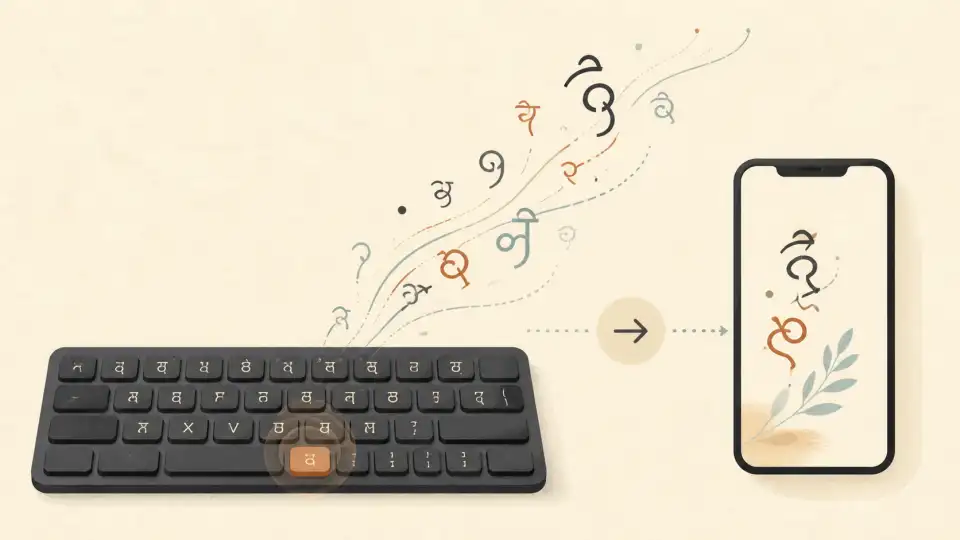
Whether you're preparing for a government exam, working in a Hindi-medium office, or simply want to type faster in Devanagari script, a Hindi typing test online is the fastest way to measure and improve your skills. With India's growing demand for bilingual professionals, Hindi typing proficiency has become a valuable workplace asset.
In this guide, we'll walk you through everything you need to know about online Hindi typing tests — from choosing the right keyboard layout to daily practice strategies that can boost your speed from 20 WPM to 40+ WPM in just a few weeks.
Why Take a Hindi Typing Test Online?
The benefits of regular Hindi typing practice go far beyond just speed. Here's why thousands of people take online typing tests every day:
- Government Exam Preparation: Many Indian government exams (SSC, Railways, CPCT, High Court) require Hindi typing proficiency. Regular practice with an online test ensures you meet the minimum speed requirements.
- Workplace Productivity: If your job involves Hindi content creation, translation, or data entry, faster typing means more output in less time.
- Accuracy Tracking: Online tests measure not just speed but accuracy — helping you identify which Hindi characters or word patterns slow you down.
- Confidence Building: Knowing your exact WPM (words per minute) score gives you a clear benchmark to improve upon.
Understanding Hindi Keyboard Layouts
Before you start taking Hindi typing tests, it's important to understand the different keyboard layouts available. The layout you choose will significantly impact your typing speed and comfort level.
Inscript Layout (Government Standard)
The Inscript keyboard layout is the official standard mandated by the Indian government for Hindi typing. It's built into Windows, macOS, and Linux as a default input method. The layout follows a logical pattern where consonants are grouped together, making it efficient once you learn the finger positions.
Remington Layout (Legacy)
The Remington layout is based on old typewriter conventions. Many experienced Hindi typists prefer it because they learned it first. Government exams in several states still accept Remington, so check your specific exam requirements.
Phonetic / Transliteration (Easiest to Start)
Phonetic typing lets you type Hindi words using English letters. For example, typing "namaste" automatically converts to "नमस्ते." This is the easiest way to start if you're new to Devanagari typing. You can use Sariya's Hindi typing tool to practice transliteration before switching to a proper keyboard layout.
How to Take a Hindi Typing Test Online
Taking a Hindi typing test online is straightforward. Here's a step-by-step guide:
- Step 1: Set Up Your Hindi Keyboard. Enable the Hindi (Devanagari) keyboard on your device. On Windows, go to Settings → Time & Language → Language → Add a language → Hindi. On Mac, go to System Preferences → Keyboard → Input Sources → add Hindi.
- Step 2: Choose a Test Type. Select between a timed test (usually 1, 3, or 5 minutes) or a paragraph-based test. Timed tests are better for exam preparation, while paragraph tests help with reading comprehension while typing.
- Step 3: Start Typing. Focus on accuracy first, then speed. It's better to type at 25 WPM with 95% accuracy than 35 WPM with 80% accuracy.
- Step 4: Review Your Results. After the test, check your WPM, accuracy percentage, and error count. Most online tests show which specific characters or words you got wrong.
You can start practicing right away with Sariya's free Hindi typing tools — no registration required.
How to Improve Your Hindi Typing Speed
Improving your Hindi typing speed requires consistent practice and smart strategies. Here are proven techniques:
1. Master Home Row Positioning
Just like English typing, Hindi typing has a home row — the middle row of keys where your fingers rest by default. For Inscript layout, the home row contains characters like क, ख, ग, घ, ङ on the left hand and ज, झ, ञ, ठ, ड on the right. Practice reaching these keys without looking at the keyboard.
2. Practice Daily for 15-20 Minutes
Consistency beats intensity. A 15-minute daily Hindi typing test is more effective than a 2-hour weekend session. Set a reminder and treat it like a workout for your fingers.
3. Focus on Common Hindi Words First
Hindi has a set of high-frequency words that appear in almost every sentence — words like है, में, की, का, और, को, से. Master typing these words quickly before moving on to complex sentences. Your typing test results will improve dramatically once these become second nature.
4. Use Sariya's Grammar Checker
Speed without accuracy is useless. Use Sariya's Hindi grammar checker to verify your typed content for spelling mistakes, grammatical errors, and proper use of matras (vowel signs). This helps you internalize correct spelling patterns.
5. Track Your Progress Over Time
Keep a simple log of your typing test scores — date, WPM, and accuracy. Seeing your progress over weeks provides motivation and helps you identify plateaus where you need to change your approach.
Hindi Typing Speed Benchmarks
Here's what different speed levels mean in the context of Hindi typing:
- Beginner (10-20 WPM): You're still learning character positions. Focus on accuracy and memorizing the keyboard layout.
- Intermediate (20-30 WPM): You can type familiar words without looking. Start working on common bigrams and letter combinations.
- Advanced (30-40 WPM): You're typing at a professional level. Focus on reducing errors and handling complex words with conjuncts (संयुक्ताक्षर).
- Expert (40+ WPM): You're among the fastest Hindi typists. This speed is well above most government exam requirements.
Government Exam Requirements
Most Indian government exams require a minimum typing speed of 25-30 WPM in Hindi with at least 90-95% accuracy. Some High Court and Secretariat positions may require higher speeds. Always check the specific requirements for your target exam.
Common Challenges in Hindi Typing
Hindi typing presents unique challenges that don't exist in English typing. Here's how to overcome the most common obstacles:
Matras (Vowel Signs)
Hindi uses matras — small marks attached to consonants to indicate vowels. Characters like ि (choti ee), ी (badi ee), ु (chota u), and ू (bada u) require precise key combinations. Practice these in isolation before incorporating them into full words.
Conjunct Characters (संयुक्ताक्षर)
When two or more consonants appear together without a vowel, they form conjuncts like क्ष, त्र, ज्ञ, and श्र. These require the use of the halant (virāma) key. Learning the most common 20-30 conjuncts will cover a large percentage of Hindi text.
Aspirated vs. Non-Aspirated Consonants
Hindi distinguishes between aspirated (ख, घ, ठ, ढ, फ) and non-aspirated (क, ग, ट, ड, प) consonants. On the Inscript layout, these are placed next to each other, which can cause confusion. Slow down when typing words with similar-sounding consonants.
Benefits of Using Sariya for Hindi Typing Practice
Sariya offers a comprehensive suite of Hindi language tools designed for both beginners and experienced typists:
- Free Online Typing Tool: Type in Hindi using phonetic transliteration or Inscript layout directly in your browser.
- Hindi Grammar Checker: Catch grammar and spelling errors in real-time as you type.
- Hindi to English Translation: Quickly verify your Hindi text by translating it to English.
- Works on All Devices: Access Sariya from your desktop, tablet, or mobile phone — no app installation needed.
Frequently Asked Questions
How long does it take to learn Hindi typing?
With consistent daily practice of 15-20 minutes, most people can reach 20-25 WPM in Hindi typing within 4-6 weeks. Reaching 30-35 WPM typically takes 2-3 months. The key factor is daily consistency rather than total hours.
Which Hindi keyboard layout is best for beginners?
Start with phonetic transliteration to get comfortable with Hindi text output, then transition to the Inscript layout for professional or exam typing. Inscript is the government standard and is supported on all modern operating systems.
What is the minimum Hindi typing speed for government jobs?
Most government jobs in India require a minimum of 25-30 WPM in Hindi typing with at least 90% accuracy. Some positions, especially in courts and secretariats, may require 35-40 WPM. Always check the specific requirements in the job notification.
Can I practice Hindi typing on my phone?
Yes, you can practice Hindi typing on your phone using the Google Indic Keyboard or your phone's built-in Hindi keyboard. However, for serious practice and speed improvement, a physical keyboard on a computer or laptop is strongly recommended.
Is Hindi typing different from English typing?
Yes, Hindi typing involves additional complexity due to matras, conjunct characters, and the Devanagari script's unique structure. The Inscript layout uses the same physical keys as English but maps them to Devanagari characters in a logical pattern. Finger positioning follows the same home row principle.
How can I check if my Hindi typing is correct?
Use Sariya's Hindi grammar checker to automatically detect spelling errors, incorrect matra usage, and grammatical mistakes in your typed Hindi text. You can also use the Hindi to English translation feature to verify that your text conveys the intended meaning.