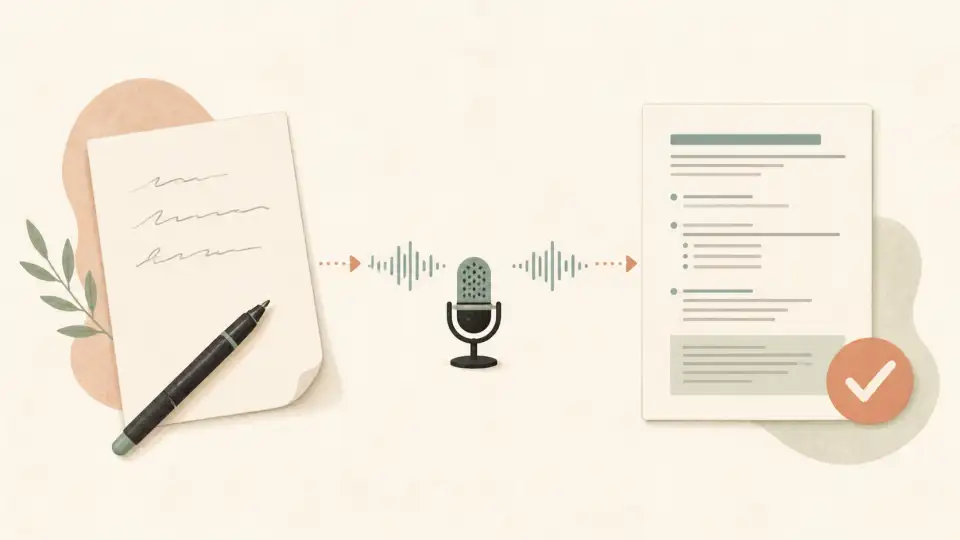
Malayalam's beautiful, flowing script is one of the most complex writing systems in India — with its rounded characters, conjunct letters, and unique vowel signs. Typing it on a standard keyboard can feel overwhelming, even for native speakers. But Malayalam voice typing changes everything. Just speak naturally in Malayalam, and watch your words appear in Malayalam script (മലയാളം) instantly. In this complete guide, we'll show you how to type Malayalam by speaking online.
What is Malayalam Voice Typing?
Malayalam voice typing is a speech-to-text technology that converts spoken Malayalam into written Malayalam text. Using advanced AI, deep learning, and speech recognition algorithms, these tools listen to your spoken Malayalam and transcribe it into Malayalam script in real time.
The technology has matured significantly by 2026, offering high accuracy for standard Malayalam speech and handling various dialectal variations across Kerala, Lakshadweep, and the Malayalam-speaking diaspora worldwide.
Why Use Malayalam Voice Typing?
Malayalam has a complex script that makes traditional typing particularly challenging:
- Complex script: Malayalam has 57 letters and many conjunct consonants that are difficult to type on a keyboard
- Speed: Speaking is 3-4x faster than typing Malayalam, even for proficient typists
- No keyboard to learn: Skip the Malayalam keyboard layout entirely
- Natural input: Speak as you normally would — no transliteration rules to memorize
- Accessibility: Perfect for users with physical limitations or repetitive strain injuries
- Productivity: Draft documents, emails, WhatsApp messages, and social media posts faster
- Natural flow: Speaking allows thoughts to flow more freely than typing
Best Malayalam Voice Typing Tools in 2026
1. Sariya Malayalam Typing Tool — Best Overall
The Sariya Malayalam Typing Tool offers excellent voice typing optimized for Malayalam speech. Key features include:
- High accuracy: AI models trained on extensive Malayalam speech data across Kerala's regions
- Real-time transcription: See your Malayalam text appear as you speak
- No installation needed: Works directly in your browser — no app downloads required
- Free to use: No subscription, sign-up, or hidden fees
- Multiple input modes: Switch between voice typing, transliteration, and direct Malayalam keyboard
- Copy and paste anywhere: Generated Malayalam text works on WhatsApp, social media, email, and more
2. Google Voice Typing
Google's built-in voice typing supports Malayalam and works across Android devices and Chrome browser. It's a reliable free option with decent accuracy, though it may struggle with heavy Kerala dialects or code-mixed Malayalam-English speech patterns.
3. Microsoft Windows Voice Typing
Windows 10/11 includes built-in Malayalam speech recognition through its voice typing feature. Activate it withWin + H and select Malayalam as the input language. Works well for standard Malayalam pronunciation.
4. Apple Dictation (iOS and Mac)
Apple devices support Malayalam dictation natively. Enable Malayalam in Settings > Keyboard > Keyboards > Add New Keyboard > Malayalam. Then use the microphone icon on the keyboard to dictate.
How to Use Malayalam Voice Typing on Sariya (Step by Step)
Step 1: Open the Malayalam Typing Tool
Visit sariya.app/malayalam in your web browser. The tool works on Chrome, Firefox, Safari, and Edge — no downloads or installations required.
Step 2: Enable Voice Input
Click the microphone icon on the typing interface to activate voice input. Your browser will request microphone permission — allow it to proceed with voice typing.
Step 3: Start Speaking Malayalam
Speak naturally in Malayalam. No need to slow down or over-enunciate — the tool understands normal speech patterns. You'll see your words appear in Malayalam script (മലയാളം) in real time as you speak.
Step 4: Review and Edit
Once you've finished speaking, review the transcribed text. Make minor corrections using the typing interface, or re-speak any section that wasn't captured accurately.
Step 5: Copy and Use
Copy your Malayalam text and paste it wherever you need — WhatsApp chats, Facebook posts, email, documents, or any other platform that accepts Malayalam text.
Tips for Better Malayalam Voice Typing Accuracy
Get the best results from Malayalam voice typing with these practical tips:
- Speak clearly but naturally: Normal conversational tone works best — don't shout or whisper
- Minimize background noise: A quiet environment dramatically improves transcription accuracy
- Use a good microphone: A basic headset mic works much better than laptop built-in microphones
- Speak in complete sentences: Full sentences give the AI more context for accurate word recognition
- Pause between thoughts: Natural pauses help the tool insert punctuation and paragraph breaks
- Handle Manglish naturally: If you mix Malayalam and English (Manglish), speak the mix as you normally would — modern tools handle code-switching
- Be patient with regional dialects: The tool works best with standard Malayalam, but accuracy improves with dialect-specific training
Common Use Cases for Malayalam Voice Typing
WhatsApp and Messaging
The most popular use case is sending Malayalam messages on WhatsApp. Instead of switching to a Malayalam keyboard and hunting through complex characters, just tap the microphone and speak your message naturally. It's especially popular among Keralites who prefer communicating in Malayalam but find typing the script cumbersome.
Social Media in Malayalam
Writing Facebook posts, Instagram captions, and Twitter threads in Malayalam is much faster with voice typing. Express your thoughts about Kerala politics, movies, food, or daily life without worrying about Devanagari input.Sariya's Malayalam tool makes it easy to create Malayalam content for any platform.
Professional Documents
For government offices, schools, banks, and businesses in Kerala that require Malayalam documents, voice typing dramatically speeds up the drafting process. Write letters, reports, applications, and official communications in a fraction of the time.
Content Creation
Malayalam bloggers, YouTubers, and content creators can use voice typing to draft video scripts, write blog posts, and create content much faster. This is especially valuable for creators covering Kerala-specific topics like Onam celebrations, Malayalam cinema reviews, and local news.
Accessibility for Elder Users
Many older Malayalam speakers in Kerala are comfortable speaking the language fluently but find digital typing difficult. Voice typing bridges this gap, enabling grandparents to send WhatsApp messages to family, write comments on social media, and participate in digital communication.
Malayalam Voice Typing vs. Other Input Methods
Voice Typing vs. Transliteration (Manglish to Malayalam)
Transliteration (typing "namaskaram" to produce നമസ്കാരം) is popular but requires you to type phonetically and select the correct suggestion from a list. Voice typing is more direct — you speak the word and get the output instantly without any typing. Both methods are available on Sariya's Malayalam tool, so choose whichever fits your workflow. Learn more about the transliteration approach in ourManglish to Malayalam conversion guide.
Voice Typing vs. Direct Malayalam Keyboard
A direct Malayalam keyboard requires memorizing which key produces which Malayalam character — a significant learning curve given Malayalam's 57+ letter forms and conjunct characters. Voice typing eliminates this barrier entirely, making Malayalam digital communication accessible to everyone.
The Future of Malayalam Voice Typing
Malayalam voice typing technology is evolving rapidly. Here's what's coming:
- Improved dialect support: AI models are being trained on speech from different Kerala regions — Thiruvananthapuram, Kochi, Kozhikode, and more
- Real-time Malayalam-English translation: Speak in Malayalam, get English output (and vice versa) simultaneously
- Offline Malayalam recognition: On-device AI models that work without internet, perfect for rural Kerala
- Integration with Indian language ecosystem: BharatGen AI and similar projects are building speech models for all 22 scheduled Indian languages including Malayalam
- Malayalam voice assistants: Siri, Alexa, and Google Assistant are all improving their Malayalam capabilities
Frequently Asked Questions
Is Malayalam voice typing accurate?
Yes, modern Malayalam voice typing tools achieve 88-94% accuracy for standard Malayalam speech. The accuracy varies based on your accent, background noise, and microphone quality. Sariya's Malayalam tooluses AI models specifically trained on Malayalam speech data for reliable results.
Does Malayalam voice typing handle conjunct letters correctly?
Yes. Modern voice typing tools correctly identify and render Malayalam conjunct consonants (ക്ഷ, ശ്ര, ത്ത, etc.) based on the phonetic context of your speech. This is one of the biggest advantages over transliteration, where conjuncts often require manual selection.
Can I type Manglish (Malayalam-English mixed) with voice typing?
Yes! Modern voice typing tools handle code-mixing (switching between Malayalam and English) naturally. Just speak your Manglish the way you normally would, and the tool will transcribe both languages correctly in their respective scripts.
How fast is Malayalam voice typing compared to regular typing?
Most people speak at 120-150 words per minute, while average Malayalam typing speed is 25-40 WPM for most users (due to the complex script). This means voice typing can be 3-4x faster than typing Malayalam for the average user.
Do I need to speak standard Malayalam for voice typing to work?
Standard Malayalam gives the best results, but modern tools handle common dialectal variations reasonably well. For heavy regional dialects from North Kerala or Central Kerala, you may need to adjust your pronunciation slightly for optimal accuracy.
Can I use Malayalam voice typing on WhatsApp directly?
WhatsApp has a built-in voice message feature, but it doesn't transcribe to Malayalam text. To send typed Malayalam messages via voice, use Sariya's Malayalam tool to convert your speech to text, then copy and paste the result into WhatsApp. Alternatively, Gboard on Android and iPhone supports Malayalam voice input directly in the WhatsApp text field.