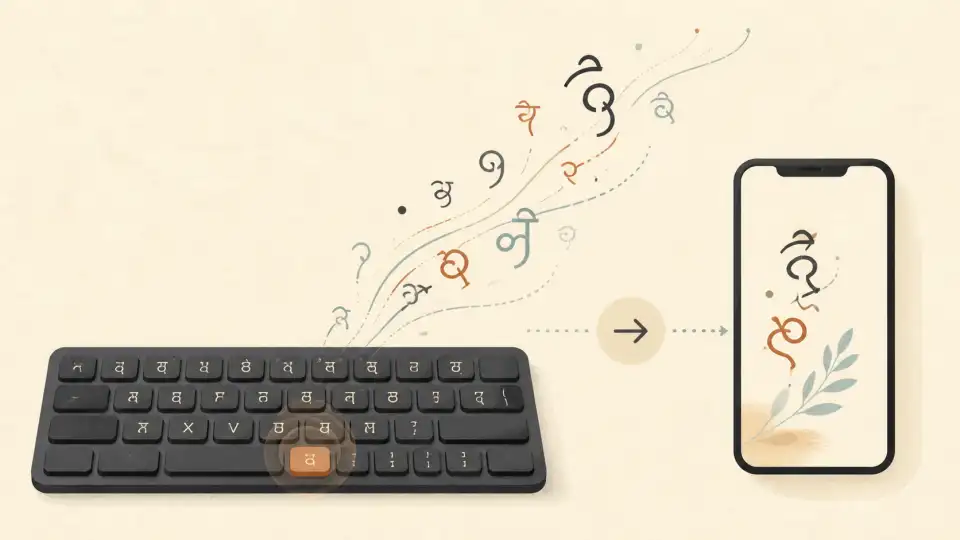
Telugu, one of the most widely spoken languages in India with over 80 million native speakers, is the official language of Andhra Pradesh and Telangana. Whether you are a student writing an essay, a professional drafting emails, or simply someone who wants to chat with family in their mother tongue, being able to type in Telugu onlineis an essential skill in today's digital world.
The good news? You don't need a Telugu keyboard or any special hardware. With modern Telugu typing tools, you can type Telugu script using just your English keyboard. In this guide, we'll walk you through everything you need to know about Telugu typing online — from the basics to pro-level tips.
Why Type in Telugu Online?
There are several reasons why more and more people are choosing to type in Telugu rather than relying on English transliterations:
- Cultural authenticity: Writing in Telugu script preserves the beauty and cultural significance of the language.
- Professional communication: Government offices, schools, and many businesses in Andhra Pradesh and Telangana require documents in Telugu.
- Social media presence: Telugu content on YouTube, Instagram, and WhatsApp is booming. Typing in Telugu helps you connect with your audience.
- Exam preparation: Many competitive exams in Telugu-speaking states test Telugu typing skills. Practicing online is the fastest way to improve.
- Preserving heritage: The younger generation increasingly communicates in English or romanized Telugu (often called "Tenglish"). Learning to type in Telugu script keeps the written tradition alive.
How Telugu Online Typing Works
Most online Telugu typing tools use a system called phonetic transliteration. Here's how it works:
- You type the sounds of Telugu words using English letters on your keyboard.
- The tool converts your phonetic input into proper Telugu script in real time.
- You can select from suggested words if the tool offers autocomplete.
For example, if you type "namaste", the tool will instantly convert it to నమస్తే. If you type "telugu bhasha", it becomes తెలుగు భాష. This is the same principle behind tools like Google Input Tools, but many free online tools offer even better accuracy and speed.
Best Free Telugu Typing Tools Online
There are several excellent tools available for typing Telugu online. Here are the most popular options:
1. Sariya Telugu Typing Tool
Sariya (sariya.app) offers a fast, accurate, and completely free Telugu typing toolthat runs right in your browser. No downloads, no installations — just open the page and start typing. The tool supports phonetic transliteration, word suggestions, and works seamlessly on both desktop and mobile devices. It's designed specifically for Indian languages, so the Telugu suggestions are context-aware and more accurate than generic tools.
2. Google Input Tools
Google Input Tools supports Telugu transliteration and is widely used. However, it requires installation and is not always available as a standalone web tool for Telugu. It works well within Google products like Gmail and Google Docs.
3. Lexilogos Telugu Keyboard
Lexilogos offers a virtual Telugu keyboard layout where you click on characters to type. This is useful if you know the Telugu keyboard layout but don't have one installed on your device. It's slower than phonetic typing but great for learning the script.
4. Quillpad / Indic Typing Tools
Several Indian language typing platforms offer Telugu transliteration. These tools typically support multiple Indian languages and offer word predictions as you type.
Telugu Typing Keyboard Layouts
If you want to type Telugu directly (without transliteration), you need to understand the Telugu keyboard layout. The standard Telugu keyboard layout follows the InScript (Indian Script) standard developed by the Indian government:
- InScript Layout: The government-standard keyboard layout for Telugu. It groups consonants and vowels logically, making it efficient once you learn it. Available in Windows, macOS, and Linux as a built-in input method.
- Phonetic Layout: Maps Telugu sounds to similar-sounding English keys. For example, pressing "ka" produces క, "ba" produces బ, etc. This is the most popular method for beginners.
- Traditional Layout: Based on old Telugu typewriter positions. Some typists who learned on typewriters prefer this layout.
Step-by-Step: How to Type in Telugu Online
Here's a quick step-by-step guide to get started with Telugu typing:
- Open a Telugu typing tool — Head to sariya.app and select the Telugu typing tool from the menu.
- Start typing in English — As you type phonetic English words, the tool will automatically convert them to Telugu script.
- Use word suggestions — Most tools show suggested Telugu words as you type. Click on the correct suggestion or press the corresponding number key to select it.
- Copy your text — Once you're done, copy the Telugu text and paste it wherever you need — WhatsApp, email, documents, or social media.
Telugu Typing Practice Tips
Getting fast at Telugu typing takes practice, but with the right approach, you can improve quickly:
- Start with common words: Begin by typing everyday words like greetings, numbers, and common phrases. This builds muscle memory.
- Use a typing test: Practice with a Telugu typing test to measure your speed and accuracy. Aim to improve your words-per-minute (WPM) gradually.
- Learn the Telugu alphabet: Understanding the తెలుగు వర్ణమాల (Telugu alphabet) — vowels (స్వరాలు) and consonants (వ్యంజనాలు) — helps you type more intuitively.
- Practice daily: Even 10–15 minutes of daily practice can make a significant difference in your typing speed within a few weeks.
- Type what you read: Pick a Telugu news article or story and try typing it out. This combines reading comprehension with typing practice.
Telugu Typing on Mobile Devices
Typing Telugu on a smartphone is just as easy as on a computer. Here are your options:
- Google Keyboard (Gboard): Enable Telugu as a language in Gboard settings. You can type phonetically in English and get Telugu suggestions.
- SwiftKey: Microsoft's keyboard app supports Telugu transliteration and has excellent word prediction.
- Sariya Mobile: Visit sariya.app on your mobile browser for a fully optimized mobile Telugu typing experience.
Common Telugu Words for Practice
Here are some commonly typed Telugu words and phrases to help you practice:
- హలో (halō) — Hello
- ధన్యవాదాలు (dhanyavādālu) — Thank you
- నమస్కారం (namaskāraṁ) — Greetings / Namaste
- ఎలా ఉన్నారు? (elā unnāru?) — How are you?
- నా పేరు (nā pēru) — My name is
- నేను ఇష్టపడుతున్నాను (nēnu iṣṭapaḍutunnānu) — I like it
Telugu Typing for Competitive Exams
Many government exams in Andhra Pradesh and Telangana require candidates to demonstrate Telugu typing proficiency. The Telugu typing test typically requires a speed of 30–40 words per minute depending on the exam. Here are some tips for exam preparation:
- Practice with the official InScript keyboard layout if the exam requires it.
- Time yourself regularly to track your speed improvement.
- Focus on accuracy first — speed will follow naturally.
- Practice typing from Telugu passages, not just individual words.
- Use Sariya's typing tools to get comfortable with real-time Telugu text generation.
FAQ: Telugu Typing Online
Can I type in Telugu without a Telugu keyboard?
Yes! Online Telugu typing tools like Sariya use phonetic transliteration, which means you can type in Telugu using your standard English keyboard. Just type the sounds of Telugu words in English, and the tool converts them to Telugu script automatically.
Is Telugu typing free online?
Absolutely. Tools like Sariya, Google Input Tools, and many others offer free Telugu typing. You don't need to pay anything or install software.
How fast can I learn Telugu typing?
With consistent practice of 15–20 minutes daily, most people can achieve a comfortable typing speed of 20–30 WPM within 2–4 weeks. Reaching 40+ WPM may take 2–3 months of regular practice.
What is the difference between phonetic and InScript Telugu typing?
Phonetic typing lets you type Telugu words using English letters that sound similar (e.g., typing "namaste" to get నమస్తే). InScript is a fixed keyboard layout where specific keys map to specific Telugu characters — you need to learn the layout first. Phonetic is easier for beginners; InScript is faster for experienced typists.
Can I use Telugu typing on WhatsApp?
Yes! You can type in Telugu on WhatsApp using your phone's keyboard (Gboard or SwiftKey with Telugu enabled), or by typing on Sariya's online tool and pasting the Telugu text into WhatsApp.
How do I type Telugu conjunct consonants?
Conjunct consonants (గుణింతాలు / samyuktākṣaram) are formed automatically by most phonetic typing tools. When you type the consonant cluster phonetically, the tool handles the ligature formation. For example, typing "ksha" produces the conjunct క్ష.
Conclusion
Typing in Telugu has never been easier. With free online tools like Sariya's Telugu typing tool, anyone with an internet connection and an English keyboard can write in beautiful Telugu script. Whether you're preparing for exams, creating content, or simply staying connected with your roots, mastering Telugu typing is a valuable skill.
Start practicing today at sariya.app and experience how fast and accurate modern Telugu typing can be!